Awaken The Light Your Heart – A Guide To Self-Healing by Susan Kennard is now available on Audible.
Continue reading “Awaken The Light Within Your Heart now on Audible”

THE OTHER OPERATION: audiobook production & publication since 2020

Awaken The Light Your Heart – A Guide To Self-Healing by Susan Kennard is now available on Audible.
Continue reading “Awaken The Light Within Your Heart now on Audible”

At Landen Park Studio, we record spoken word (audiobooks, voiceover etc.) using a technique called Punch And Roll recording – often just called Punch-In.
Punch-in is a familiar technique for musicians, who’ve been working this way since the dawn of the multitrack tape era. But if you haven’t worked in a studio before, you might wonder what it’s all about.
Punch-in is one of those things that’s a lot harder to describe than to do! Essentially, it’s just the process of jumping from playback to record without stopping.
Imagine narrating the following:
Since my first introduction to recording studios, I’ve been an admirer of punch-and-roll. It makes things so much quicker and easier.
Now, suppose you read the first sentence perfectly, but fluff the second one. The engineer will ‘roll back’ to the beginning of the previous sentence – “Since…” – play the sentence back to you, and then instantaneously switch to recording just after the word “roll“. You then re-read the second sentence… and on we go.
Experienced narrators are so used to this that we can work this way without even talking about it. We both just instinctively know where we’re going to drop in. Also, some narrators are so good they can ‘drop in’ mid-sentence – after the word “studios” in the example above.
Now, here’s where the magic comes in – and this is something even experienced narrators often fail to grasp. Back in the days of tape, the punch-in point had to be perfect. With tape, you are destroying whatever was recorded beforehand.
But with a DAW such as Pro Tools (the software we use at Landen Park Studio), nothing is ever deleted. So, if we punch a little too early in the example above and just ‘nick’ the end of the word “roll“, it doesn’t matter. We simply ‘drag out’ the clipped-off bit during editing.
Also, since the original take of the second sentence is still there, we can ‘drag out’ parts of it – even individual consonants – and combine that with the second take. Again, we do this during editing.
The really mind-blowing thing about punching in with Pro Tools is that it’s actually always recording. This means that if you start to speak just before the punch in point, even that audio is available just by dragging.
Of course, all this doesn’t mean you should just throw caution to the wind and start talking whenever you feel like it! At the very least, this makes the editing job much more time-consuming (and it’s annoying!). Also, the director will want to hear a ‘clean take’ as it goes along – to know if something is right, or needs re-doing.
To help you time your punch-in, there are cue lights in the studio, positioned to be in your peripheral vision while you’re working, The amber light goes on when playback starts, switching to a red light as we drop in to record. These lights are automatic, controlled by the Pro Tools software itself.

Recording “punch and roll”, or “punch-in”, the artist needs a visual cue for when you drop into record from play. These are the punch-and-roll record status indicators.
The only manufacturer integrating with Pro Tools is Punchlight, who have a range of products for automated status indication.
Since the studio opened, we’ve been using the “Punchlight USB RGB” – a self-contained multi-colour indicator connecting directly via USB. This has not been reliable… the device just doesn’t like working a long way from the computer, even using the most expensive active USB extenders available.
So I decided to change to the “Punchlight Relay Switchbox“, which offers two programmable SPCO relays, and build my own lamp unit. I used this model at Temple Music to control an existing single lamp mounted over the studio door. In that case, I programmed it to flash when Pro Tools is record-armed, be on when in record, and off otherwise.
It’s a good courtesy to have an indication of record-armed status – so the artist knows there’s a ‘hot mic’ and whatever they say can be heard in the control room. At Landen Park however, all our work tends to be punch-in – so I decided showing Play and Record were most important, and the ‘hot mic’ issue could be dealt with manually by switching the indicator’s power feed on and off from the control room.
I had space in the headphone distribution box, so I fitted the indicators into a 1U rack strip. The socket you can see on the left is for a repeater unit – which will be a tiny box that can be clipped to the side of a music stand. (I’ll be building that soon.)
The Punchlight unit itself is next to the computer of course, so I had to run a four-core cable into the studio to run the unit. The Punchlight configuration looks like this:

and relay 1 switches between the ‘stop’ light and relay 2 – with relay 2 switching between the ‘play’ and ‘record’ lights. The whole thing runs on a 12V DC power supply nicked from a hard drive enclosure. Here are the punch-and-roll record status indicators in action:
Finally, you may be wondering what the level controls are and yes, they are brightness controls. Extremely indulgent I know – but there’s a story behind that…
I ordered the indicators from RS originally. They supplied the wrong thing, and apologised for a stock-numbering mix-up. Then said they didn’t have what I wanted in stock. So I went to Farnell… and had almost the same experience. I ended up with three LED indicators that didn’t match cosmetically – or more importantly, in luminosity. So I had to put voltage regulators in to get the brightness to match! Actually, it’s a useful feature because sometimes you need them brighter and sometimes dimmer.
The key thing is the lights have to be in the artist’s peripheral vision, noticeable but not so bright as to be distracting. As it is, the amber ‘Play’ light is much brighter than the other two.
The main thing is it works and it’s reliable. Another job I can tick off in the maintenance book.

Leah: Unnoticed, Unwanted, Unloved by Amanda Bedzrah is now available on Audible.
Continue reading “Amanda Bedzrah’s Leah: Unnoticed, Unwanted, Unloved now available on Audible”

Tiny Thunder by Sue Rice is now available on Audible.

Just completed the last of three really fun sessions with silver-tongued Canadian actress Jessica Porter – who’s also a certified hypnotherapist.
We’ve been recording meditations for the Sleep Wave podcast series, designed to help you relax and get a good night’s rest. Fascinating stuff requiring close attention and concentration to deal with very quiet, veeeeery sloooow, readings… Loved it.
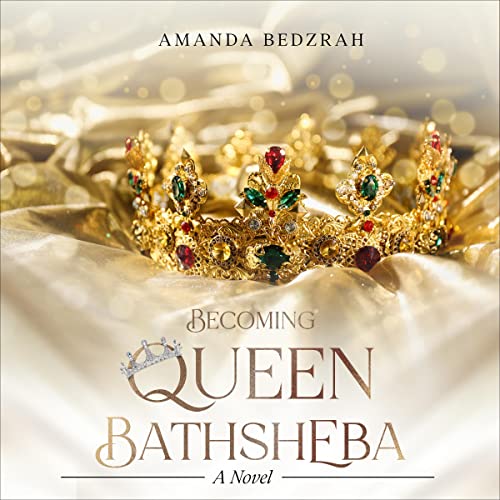
Becoming Queen Bathsheba, a new novel by Amanda Bedzrah, is now available on Audible and all your favourite audiobook platforms.
Continue reading “Amanda Bedzrah’s Becoming Queen Bathsheba now available on Audible”

The Listening Coach, read by author Jane Adshead-Grant and directed by Justin Mark Hill here at Landen Park Studio, is now available on Audible.
Continue reading “The Listening Coach now available on Audible”

The Seal Of Confession by Sven Hughes is now available on Audible and all your favourite audiobook platforms.
Continue reading “Sven Hughes’ ‘The Seal Of Confession’ now on Audible”

How To Be Happy In Life And Love, recorded by author Pascale Lane and directed by Justin Mark Hill, is now available on Audible.
Continue reading “Pascale Lane’s How To Be Happy In Life And Love now available on Audible”